


An AI reading assistant should help you move through a source while keeping the source available for inspection. The useful AI reader is therefore the one that fits your next job: saving articles, screening papers, studying mixed materials, questioning books, comparing sources, or listening to text.
Those jobs need different products. A read-later app should not outrank a paper tool because it has more features, and an audio reader should not be judged by its citation system. Start with the material you read and the action you need to take next.
Atlas is strongest for cited synthesis across sources you upload. It is not our default recommendation for a mobile article queue, single-paper triage, or audio reading. Product pages and help documents were checked on August 11, 2026. Plans and features can change.

Ask across your reading list
Upload readings, compare them, and open the cited passages.
What Counts as an AI Reading Assistant?
This comparison covers tools for reading papers, articles, books, and mixed source sets. It excludes K–12 literacy tutors, meeting assistants, and products whose only job is generic text-to-speech.
The seven products still span several categories:
- Capture and annotation: save material, read it cleanly, mark passages, and move notes elsewhere.
- Paper triage: expose a paper's structure, claims, methods, and references before a close read.
- Source-grounded study: ask questions across a selected notebook and return to the supporting material.
- Book and library chat: ask about long books or a personal collection and jump to the relevant page.
- Cross-source synthesis: compare claims, methods, or disagreements across several owned sources.
- Audio access: turn uploaded text into speech for commuting, accessibility, or listening while doing another task.
If you need only one web page explained, our AI article reader guide covers that narrower job. For academic PDFs, see the AI paper reader comparison.
Quick Recommendation by Reading Job
| Reading job | Start with | Why it fits | Main check before committing |
|---|---|---|---|
| Compare multiple owned readings | Atlas | Cited cross-source answers with source passages | Open each material citation before saving the synthesis |
| Capture, annotate, and export articles | Readwise Reader | Broad reading inbox plus mature highlight exports | Export one annotated document and a library sample |
| Maintain a mobile reading queue | Matter | iPhone, iPad, and web queue with audio and offline search | Confirm current plan and highlight-sync destination |
| Triage academic papers | Scholarcy | Structured paper flashcards and bulk export on paid access | Compare the flashcard with methods and limitations in the PDF |
| Study mixed course or project material | NotebookLM | Source-grounded chat across many file and media types | Open several inline citations and review feedback privacy |
| Chat with books and a personal library | MyReader | Book-oriented library chat with page jumps | Check file rights, cloud retention, and current upload limits |
| Listen to PDFs, books, and articles | ElevenReader | Audio-first reading across imports and mobile devices | Confirm monthly listening and audio-export limits |
Table 1: AI reading assistant recommendations by reading job, with one operational check for each tool.
How This Comparison Works
This is an editorial comparison based on current official product and help pages. It is not a private accuracy benchmark. The order follows the reading workflow rather than a numerical rank.
That distinction changes the shortlist. Readwise documents Markdown export of a document's highlights and notes. That supports its fit for moving annotations out of a reading queue. Evaluate a source-grounded assistant by checking each answer against its cited passage. Keep these two jobs on separate scorecards.
We looked for six decision points:
- Source support: Can the tool accept the papers, web pages, EPUBs, audio, or documents you use?
- Verification: Can you return from an answer or summary to a page, passage, highlight, or original file?
- Export: Can your annotations, files, or records leave the product in a useful format?
- Privacy boundary: Where is content processed, and what happens when you share feedback or delete material?
- Access and price: Is there a free allowance, trial, subscription, or feature limit relevant to the job?
- Workflow fit: Does the product own the next action, or will it create another handoff?
Bring the same small source set to your shortlist: one dense PDF, one long article, and one book chapter or EPUB if books matter. Ask a question with a known answer, open the evidence, add highlights, and export a sample. That check reveals more than a feature grid.
Run a Short Trial Before You Pay
A short trial can show whether a tool fits your work. Use the same files and tasks in each app. Keep a note of what worked, what broke, and what you could take out of the app.
Pick Three Test Files
Choose one paper with a table, one long web page, and one book chapter. Pick files you know well. You should know where a key claim sits and what the source says about it.
Do not start with a large set. A small set makes it easy to spot missed text, bad page jumps, or weak links back to the source. It also keeps the test fair across tools with low free limits.
Ask One Known Question
Ask a question with an answer you can check by hand. For a paper, ask about the study group or a limit named by the authors. For a book, ask what led to a key event.
Open the cited page or text span. Read the lines before and after it. Mark a miss if the link lands on the right topic but does not back the claim. A close topic match is not the same as proof.
Use one deliberately awkward check as well: select two sources that disagree or use different definitions, then ask the tool to explain the difference. Record supported, partly supported, unsupported, or no answer for each material claim. Keep the source passage alongside that judgment. An answer that admits uncertainty may be more useful than a confident answer that collapses the disagreement.
Mark and Find a Passage
Add a note to one short quote and one long quote. Close the app, come back, and find both notes again. This checks whether the tool helps with real work after the first chat.
If the app has search, use a term that appears more than once. Check whether the result gives enough text to choose the right match. Then test a table, a footnote, or a two-column page.
Export a Small Sample
Take out one file, a few notes, and any tags you made. Open the export in the app where you plan to keep your work. Check the title, file name, source link, note text, and page or place marker.
A tool may be fast to join and hard to leave. A clean sample export is the best way to find that risk before your reading list grows. If there is no export, decide whether that lock-in is safe for your use.
Check Cost and Data Rules
Read the plan screen in the app, not an old review. Note the bill term, trial end date, file cap, chat cap, and any limits on speech or export. Save the date of your check.
For private work, read what the tool stores and when it deletes a file. Check what may be seen when you send feedback. If a school or firm owns the files, follow its rules before upload.
At the end, pick the tool that had the fewest hard stops in your main job. A tool that wins a broad feature list may still lose on page jumps, note export, file rights, or the one task you do each day.
Keep a Plain Trial Log
Make one row for each app. Write down the task, the file, and the result. Use pass, fail, or unsure. Add one short note on why.
Keep facts apart from taste. A bad page jump is a fact. A voice you dislike is a matter of taste. Both can guide your choice, but they should not carry the same weight.
Count hard stops first. These may include a file that will not load, a claim with no source link, a lost note, or an export you cannot read. One hard stop in your main task can outweigh five nice extras.
Run the same test once more a day later. This shows whether the first good result was luck. It also shows how easy it is to find old work when the first chat is no longer fresh.
7 AI Reading Assistants by Job
1. Atlas for Cited Source Synthesis
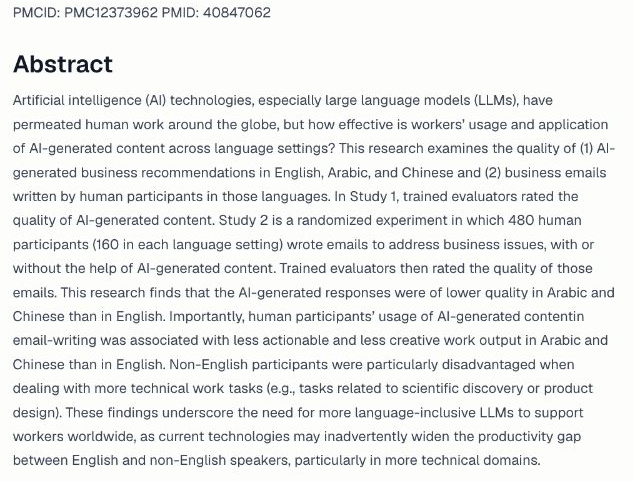
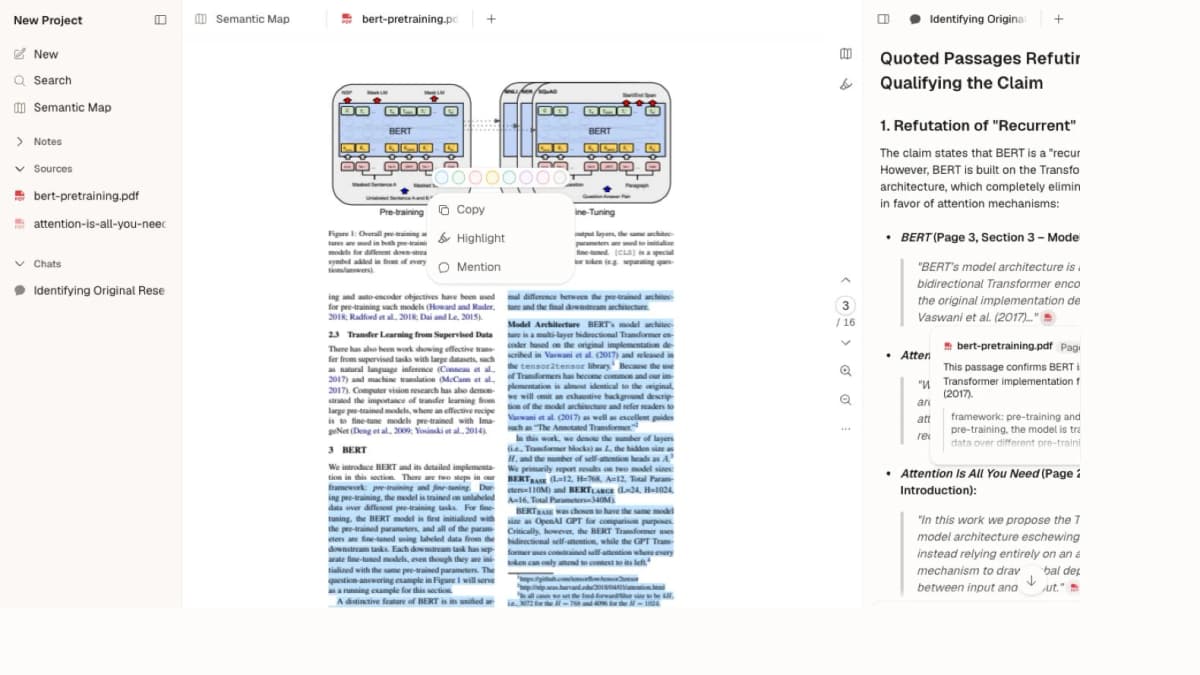
Atlas fits the stage after you pick the sources. Add papers, reports, web pages, or transcripts to one project. Ask, “Where do these authors disagree about the cause?” Atlas can answer across the set and cite the source text.
The useful workflow has three steps:
- Upload multiple readings and wait until their text has finished processing.
- Ask one cross-source question that names the comparison, claim, or disagreement.
- Open each important citation and inspect the passage in context before saving the synthesis.
Atlas can split an answer by source. A citation gives you a check path; it does not prove the claim on its own.
Atlas offers free access with up to 10 live sources. Check the current plan before moving a large project.
Limitation: Atlas is not the best choice when the main job is a polished mobile reading queue, fast single-paper flashcards, or natural-voice audio. It earns its place when several sources need to be compared and each material claim needs an inspectable citation.
2. Readwise Reader for Capture and Export
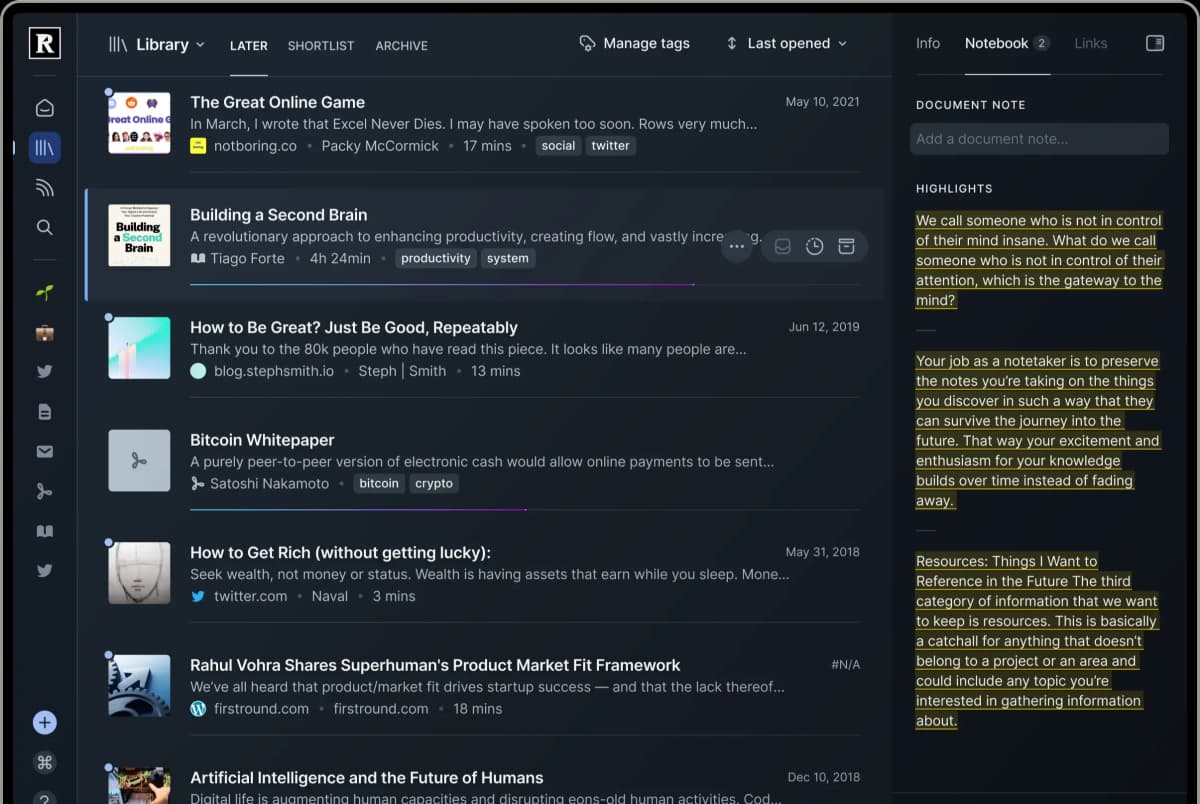
Readwise Reader is the strongest fit here when reading starts with an inbox. It collects web articles, newsletters, PDFs, EPUBs, RSS items, and other saved material in one reading environment. The important distinction is what happens after highlighting: Reader sends highlights into Readwise, which can sync them to note systems.
The export guide lists Markdown, CSV, OPML, full-file downloads, and links to Notion, Obsidian, Roam Research, Logseq, and Evernote. This gives readers a clear way out of the app.
As of August 11, 2026, Readwise pricing lists a 30-day trial, then $9.99 per month billed yearly or $12.99 monthly. Readwise says it does not sell user data or run ads.
Limitation: Reader is paid after the trial. It can send notes to other apps, but another tool may still own cross-paper synthesis.
3. Matter for a Reading Queue
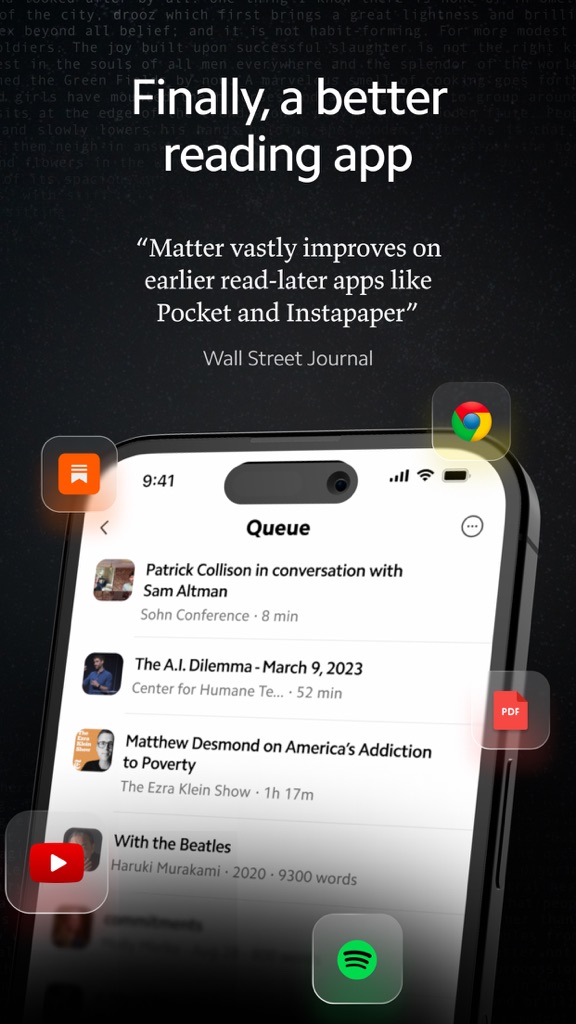
Matter focuses on the day-to-day reading queue. Its official site lists iPhone, iPad, and web access; article, thread, newsletter, PDF, YouTube, and podcast capture; audio playback; highlighting; offline full-text search; tags; and highlight integrations.
Choose Matter when the main job is finishing long web reads on a phone. Check the purchase screen and data rules before paying or linking Gmail. Also test whether highlights reach the note app you plan to keep.
Limitation: Matter is a reading app first. Use it for intake and notes, not passage-cited work across a paper set.
4. Scholarcy for Academic-Paper Triage

Scholarcy turns papers and chapters into flashcard summaries. Use it to scan claims, methods, and sources before choosing which papers need a close read.
The pricing page lists a limited free tool and Scholarcy Plus with saved cards, collections, a literature matrix, bibliographies, and bulk export. Its export guide shows how to move cards and data to other research apps.
Scholarcy says users can ask to delete personal data. It is still a cloud tool, so check school or firm rules before upload.
Limitation: A structured flashcard is a triage aid, not a substitute for the paper. Check the methods, result tables, and limitations in the original PDF before carrying a finding into a literature review.
5. NotebookLM for Mixed-Source Learning
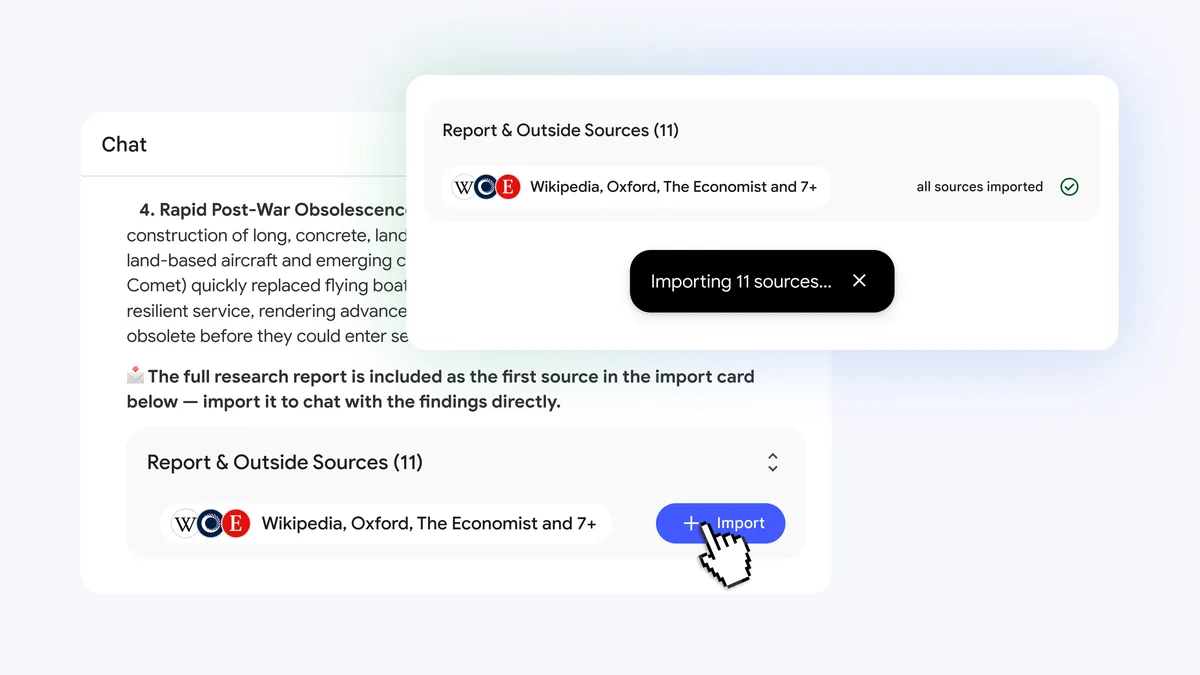
NotebookLM is the broadest mixed-source notebook here. Google's source guide lists PDFs, EPUBs, web pages, YouTube, audio, office files, images, Markdown, CSV, and pasted text. Check its current plan limits before relying on a fixed source count.
Google's chat guide says a citation can show a quote and jump to its place. This fits study sets that mix readings, talks, web pages, and notes.
Google's data guide says content is not used to train base models unless a user sends feedback. That feedback can include prompts, files, and answers for human review. School and work accounts get added safeguards.
Limitation: Imported web pages contain the accessible page text rather than nested pages or paywalled content, and Google file imports omit some elements such as footnotes and comments. Inspect the imported source before trusting a citation trail.
6. MyReader for Books and Libraries
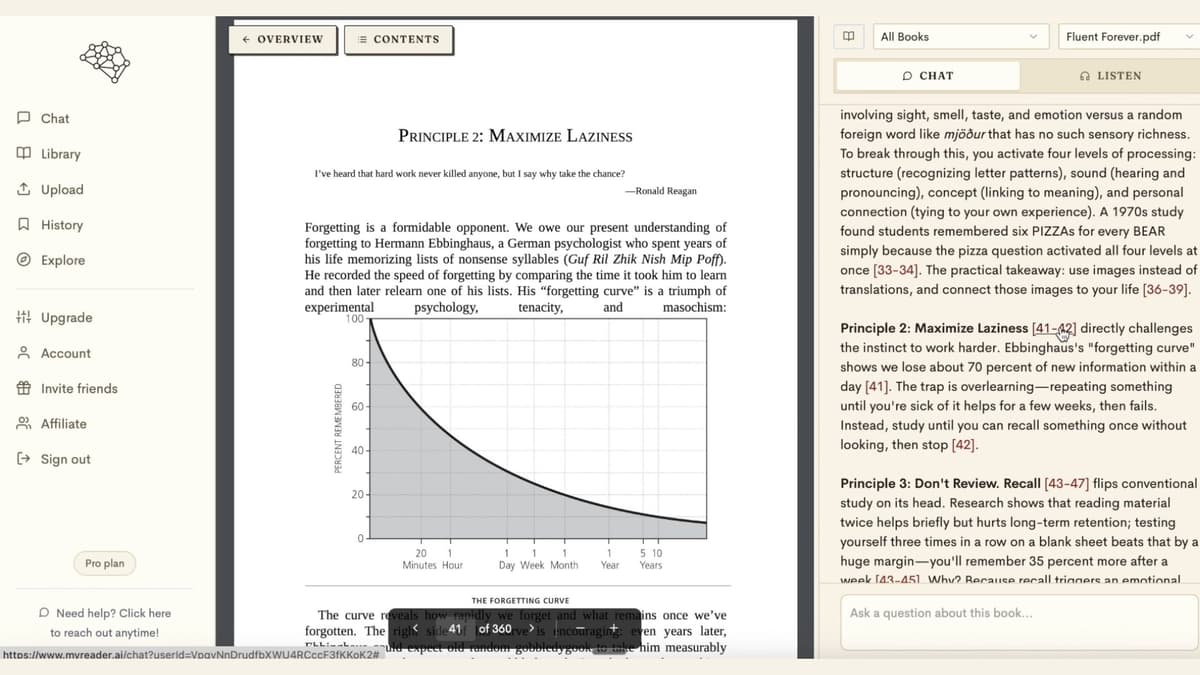
MyReader is built for books and personal files. It lists PDF, EPUB, Kindle-book, Word, PowerPoint, web-page, and YouTube support. Chat can span one book or a set, with links back to a page.
As of August 11, 2026, pricing lists Free with 5 monthly questions and 100 pages, Lite at $6 per month, and Pro at $12. Free-plan books are deleted after seven idle days. MyReader says cloud files stay private and can be deleted.
Choose it when books are the main source and page jumps matter. Make sure you have the right to upload each book, most of all when DRM or a license applies.
Limitation: MyReader keeps the library in the cloud, and its public pages emphasize chat and page jumps rather than a broad downstream annotation-export ecosystem. Confirm the export path you need before uploading a large library.
7. ElevenReader for Audio and Accessibility
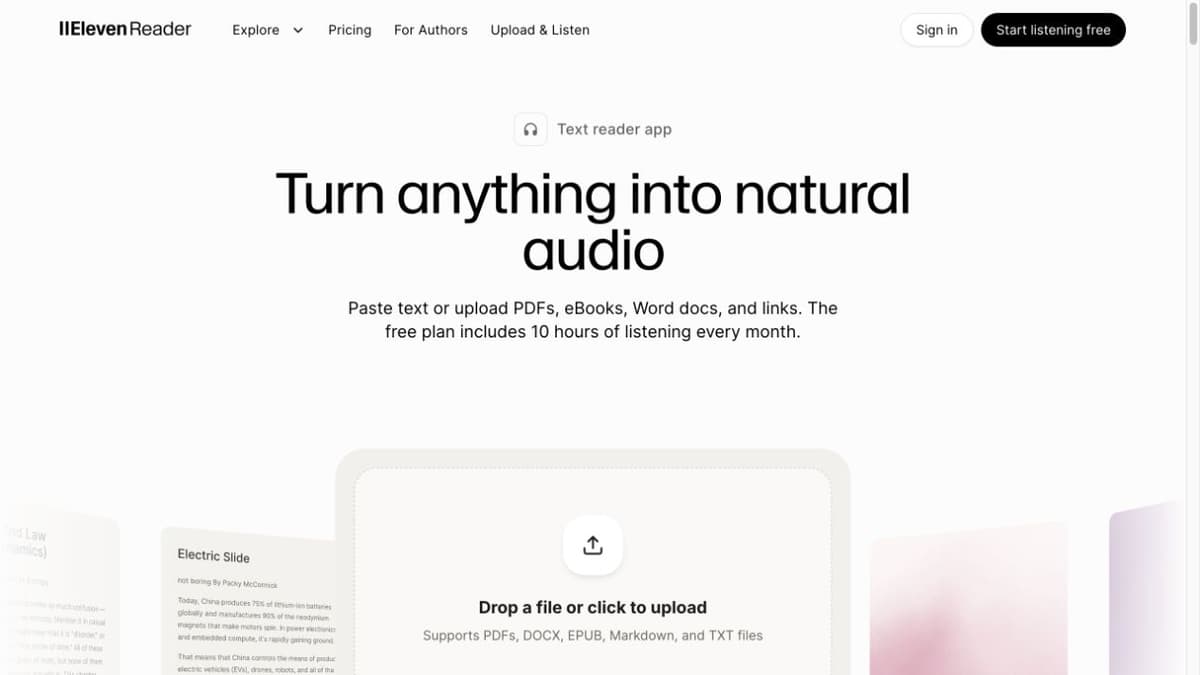
ElevenReader is the audio-first choice. It imports PDFs, EPUBs, web pages, files, images, and pasted text for web or phone playback. The paid plan adds offline use.
As of August 11, 2026, Free includes 10 hours each month. Ultra is $11 monthly or $99 yearly, with no set cap for user imports, paid books, offline use, and custom voices. The FAQ says files are not shared or used to train public or third-party models.
Choose ElevenReader when reading by listening is the actual accessibility or time constraint. It can make a paper or article easier to consume during a commute, but it does not replace a research citation workflow.
Limitation: ElevenReader's current help page says audio cannot be exported from the reader app. Treat it as a listening destination, and keep the original files and research notes elsewhere.
Compare Citations, Export, Privacy, and Price
The table below records the operational differences that are easy to miss in a feature list. Pricing and limits reflect official pages checked August 11, 2026.
| Tool | Citation or verification path | Export or handoff | Privacy boundary to review | Access snapshot |
|---|---|---|---|---|
| Atlas | Open citation to its source passage | Save verified synthesis and retain original project sources | Account-scoped cloud processing; check public plan limits | Free up to 10 live sources; Pro available |
| Readwise Reader | Return to the saved document and highlights | Markdown, CSV, OPML, full-file download, note-app sync | Cloud reading library; vendor says no data sales or ads | 30-day trial; $9.99/mo annual or $12.99 monthly |
| Matter | Return to saved article or PDF and highlights | Highlight integrations; confirm destination in account | Cloud queue; review Gmail connection and privacy terms | Confirm current plan in app |
| Scholarcy | Compare flashcard fields with the original paper | Flashcard, bibliography, matrix, and research-app exports | Cloud processing; deletion rights in privacy policy | Limited free summarizer; paid Plus plan |
| NotebookLM | Inline quote preview and jump to source location | Notes and generated outputs; original sources remain separate | Feedback can expose prompts, uploads, and outputs to review | Free allowance; paid Google AI tiers add capacity |
| MyReader | Inline citation with page jump | Confirm required library or note export before migration | Cloud storage; free books deleted after inactivity | Free; Lite $6/mo; Pro $12/mo on displayed option |
| ElevenReader | Return to the imported text while listening | No audio export from the reader app | Secure processing; service-improvement controls apply | Free 10 hours/mo; Ultra $11/mo or $99/year |
Table 2: Operational comparison of citation checks, export paths, privacy boundaries, and access for seven AI reading assistants.
Privacy statements are vendor descriptions, not independent audits. For confidential, regulated, unpublished, or licensed material, review the applicable terms and your institution's policy before upload.
How to Verify an AI Reading Answer
Use a question whose answer you already know. Ask for a claim from the methods or limitations section rather than the abstract. Open the citation and read the surrounding paragraph.
The passage must back the same claim at the same strength. A nearby topic match is not enough. If the tool cites a page, find the exact line yourself.
Repeat the check on a table, caption, footnote, or two-column page. Then export a few notes. Make sure the export keeps the title, source, note, and page marker.
Choose by Source Type
Papers
Use Scholarcy to pick papers for a close read, NotebookLM for mixed study sets, and Atlas for cited cross-paper work. Our literature review software guide covers the wider review stack.
Articles and Newsletters
Use Readwise Reader for notes and export. Use Matter for a phone queue, mail, and speech. Both should help you find old saves.
Books and EPUBs
Use MyReader for book chat, Readwise Reader for EPUB notes, NotebookLM for mixed study sets, and ElevenReader when speech is the main need.
Mixed Research Material
NotebookLM fits a study set with many output forms. Atlas fits a cited answer or map built from a source set you chose.
Reading by Listening
Start with ElevenReader when speech is the core job. Matter pairs speech with a queue, while MyReader can read books. Keep notes and source checks in a second app when needed.
Final Recommendation
For a practical cross-source trial, add two readings that disagree about a method or finding. Ask, “Where do these sources agree, and which claim depends on a different sample or method?” Save the answer only after opening each cited passage and checking that it supports the comparison. If the tool cannot take you back to the relevant passage, use it for orientation rather than as evidence for writing. This trial separates source-grounded synthesis from text-to-speech, literacy tutoring, and a general reading queue.
Choose the tool that owns the next reading action. Readwise Reader and Matter own capture and daily reading. Scholarcy owns paper triage. NotebookLM owns mixed-source study. MyReader owns book-library chat. ElevenReader owns audio access.
Choose Atlas when several readings need to become one cited, source-checkable synthesis. Upload a small source set first, ask one meaningful cross-source question, and open every citation that will affect your notes, writing, or decision.
Ask across your reading list
Upload readings, compare them, and open the cited passages.