

The best NotebookLM alternative depends on the job you need to finish. Choose Atlas for editable maps and saved research notes, Elicit for study tables, Claude Projects for flexible file work, or Perplexity for web discovery. Those tools replace different parts of a research workflow.
Google renamed NotebookLM to Gemini Notebook on July 16, 2026. The same standalone product continues under that name. This guide covers alternatives to both names; a name change alone does not make moving your sources worthwhile.
For AI-powered research, start with a specific gap: the output you cannot make, the limit you keep hitting or the note you cannot recover later. Compare source handling, AI accuracy, exports and pricing through that task before buying another subscription.

Map your sources in Atlas
Compare source links, maps, and cited answers across your uploaded research.
Why choose a NotebookLM alternative?
A new tool should solve a problem you keep having. Perhaps you need study tables, maps you can edit, local notes or a choice of models. Write that need down before you trial tools. A longer feature list can distract from the task that brought you here.
Gemini Notebook already offers source chat, study outputs and branching mind maps. Its notes can export to Docs or Sheets. Advice that says it has no maps or no exports misses those features.
There are still reasons to try other tools. An exported Google note is a copy: changes do not sync back and access rules do not carry over. A branching map can help you explore a packet, while a map you can edit or a local note serves a different purpose.
Keep Google when its imports, audio and study outputs meet the need. You can add a second tool for writing or ongoing notes without replacing every notebook. For specific constraints, see NotebookLM limitations; for product categories, see NotebookLM competitors.
Comparison scorecard
Use this scorecard to shortlist a tool by its main job. The trial column gives you a concrete check before paying or migrating. Read each entry for the feature evidence and tradeoff.
| Tool | Main research job | What to check in a trial |
|---|---|---|
| Gemini Notebook, formerly NotebookLM | Selected-source chat and study outputs | Sources, cited answers, audio and export match your task |
| Atlas | Editable maps and reusable project notes | A checked comparison becomes a note and useful map |
| Elicit | Paper discovery, screening and extraction | Study rows preserve methods, groups and results |
| Consensus | Questions across published evidence | The cited studies actually answer your question |
| SciSpace | Paper reading, PDF questions and review tools | Explanations preserve a difficult passage's meaning |
| Claude Projects | File context, instructions and flexible drafting | The answer uses the intended files and keeps their differences |
| Perplexity | Web discovery and research with project files | Web sources and file evidence stay distinguishable |
| Scholarcy | Summary cards and later paper reuse | The card retains limits and exports usefully |
| Semantic Scholar | Free academic search and discovery | Relevant papers and supported summaries are available |
Table 1: NotebookLM alternatives by research task, with a Google baseline and a check for each choice.
A score cannot tell you whether an answer changed “may” into “does.” Open the passage and check the claim. The AI citation checker guide explains this step, and AI tools for literature review covers review tools.
Top NotebookLM alternatives by research task
The eight entries below cover maps, paper review, file work, search and summary cards. Their order follows those jobs. Choose the task that repeats in your week, then compare the relevant tool with your existing Google workflow.
1. Atlas: maps and saved research notes
Atlas fits source work that should become a note or map you use again. Add supported files or URLs to a project, mention them in a question and open the numbered source links. PDF references can open a page or passage when the location is known.
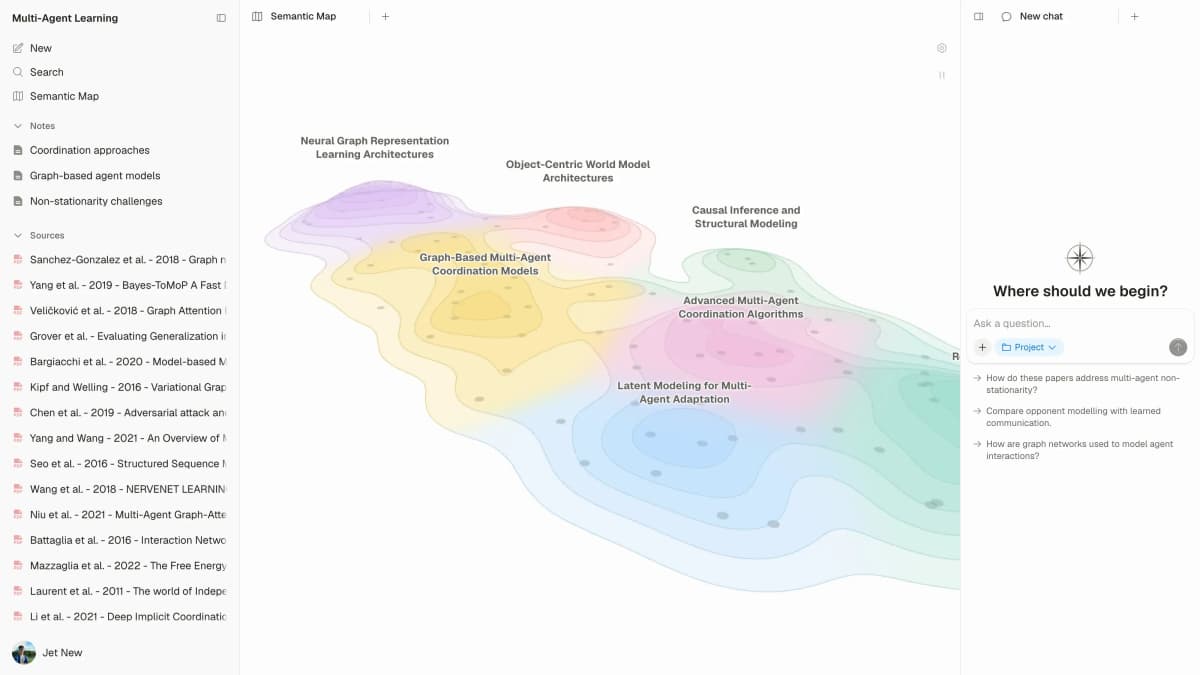
Open a source or note's Knowledge Map to generate its editable canvas. You can revise nodes and connections while keeping the source available. The project Semantic Map arranges sources, notes and chats by text similarity; nearby items are leads to inspect, not proof of agreement.
The tradeoff is the output you need. Gemini Notebook has Google imports and study formats such as Audio Overview. Choose Atlas when you need to edit maps and keep checked notes beside files for your next draft. See Atlas vs NotebookLM for that choice.
Trial three papers, save a checked methods comparison and open the note's map. Return later and see whether you can find the paper behind a claim. Check your current plan and source or chat usage in Settings → Billing before a large import.
2. Elicit: literature review tables
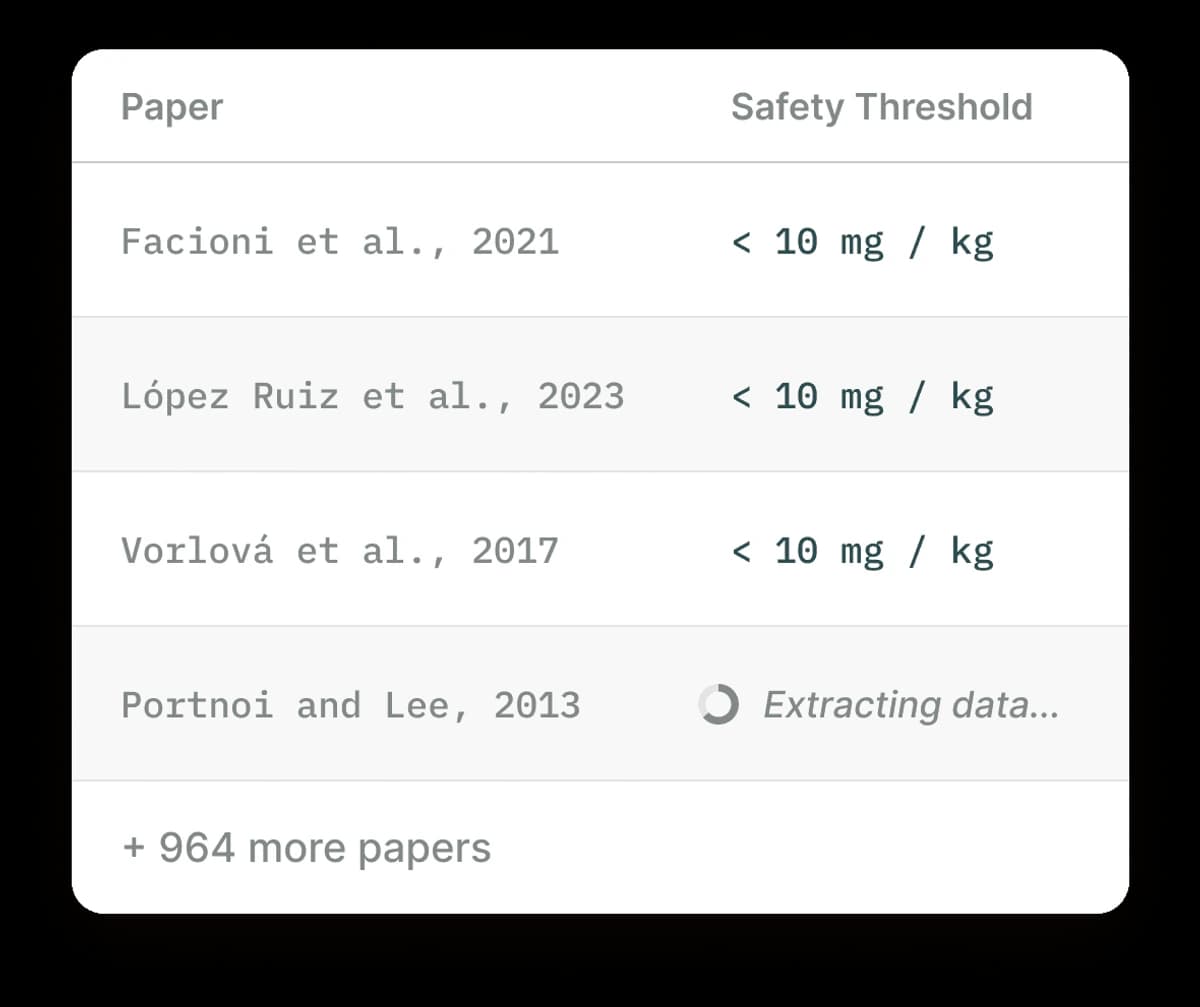
Elicit is useful when the research job is structured paper extraction.
Elicit combines paper search with screening, data extraction, reports and a source library. That makes it a useful shortlist when your task is to compare methods, groups and outcomes across studies rather than generate a study overview.
Its table gives each study a place in the review. Define the fields you need, then check a value against the paper. A blank or uncertain cell should stay that way rather than being filled with a guess.
The tradeoff is the review process. A table can help you track findings, but you still need rules for which papers belong. Google may meet a lighter reading task. Trial papers with different study designs and see whether the table keeps them distinct.
Check Elicit's current plans for the actions you need, including extraction and export. Do not treat search access as unlimited review capacity. The Elicit alternatives guide covers nearby review tools.
3. Consensus: questions across published studies
Consensus explains its method: it finds papers, then looks at each study or combines their findings. Ask Paper, Study Snapshot and the Consensus Meter offer ways to review the results.
Choose it to find what published studies say about a question. Read the papers to check that the answer fits your group or method. A meter groups the found studies; it does not settle a research question by itself.
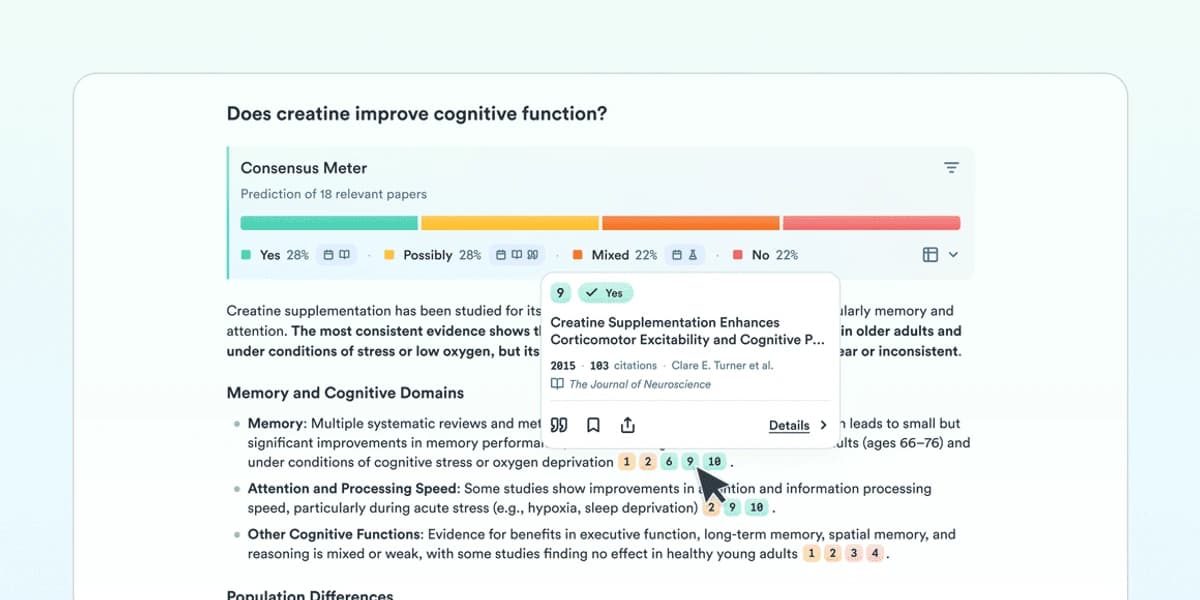
The Consensus view groups retrieved papers by answer category and exposes a paper card. Open the study before applying its conclusion to your own question.
The tradeoff is source scope. Searching published papers and checking your own packet are different jobs. Trial a question whose answer changes with study design. Read the cited methods and check the account limit. See tools for research analysis for the next stage.
4. SciSpace: help reading difficult papers
SciSpace offers PDF chat, review and data extraction tools. Start here when a paper's methods or terms block your reading. Ask about the hard passage rather than asking for a whole-paper summary.
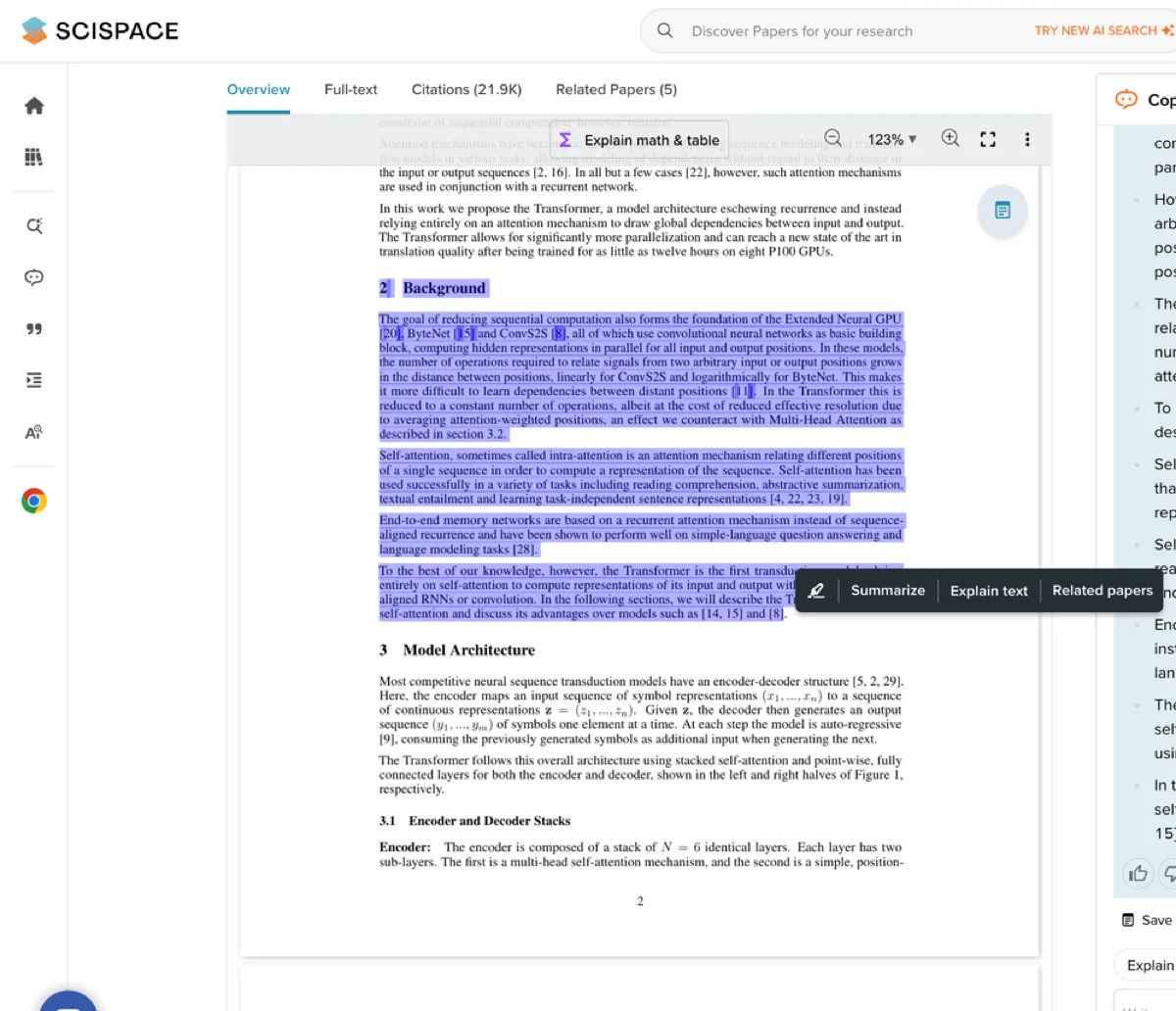
Use the answer to return to the original paragraph. Check that it keeps the assumptions, groups and result intact. For a formula, ask what each symbol means before using the tool's version.
The tradeoff is whether reading help solves the whole task. You may still need a record of which papers belong or which claims you checked. Trial the same hard passage in both tools, then check each answer against the paper.
Review the current account options through the vendor site before paying. A plan label alone does not tell you how much PDF chat or extraction it includes. The research paper analyzer guide gives a reading checklist you can use in either product.
5. Claude Projects: flexible work with files
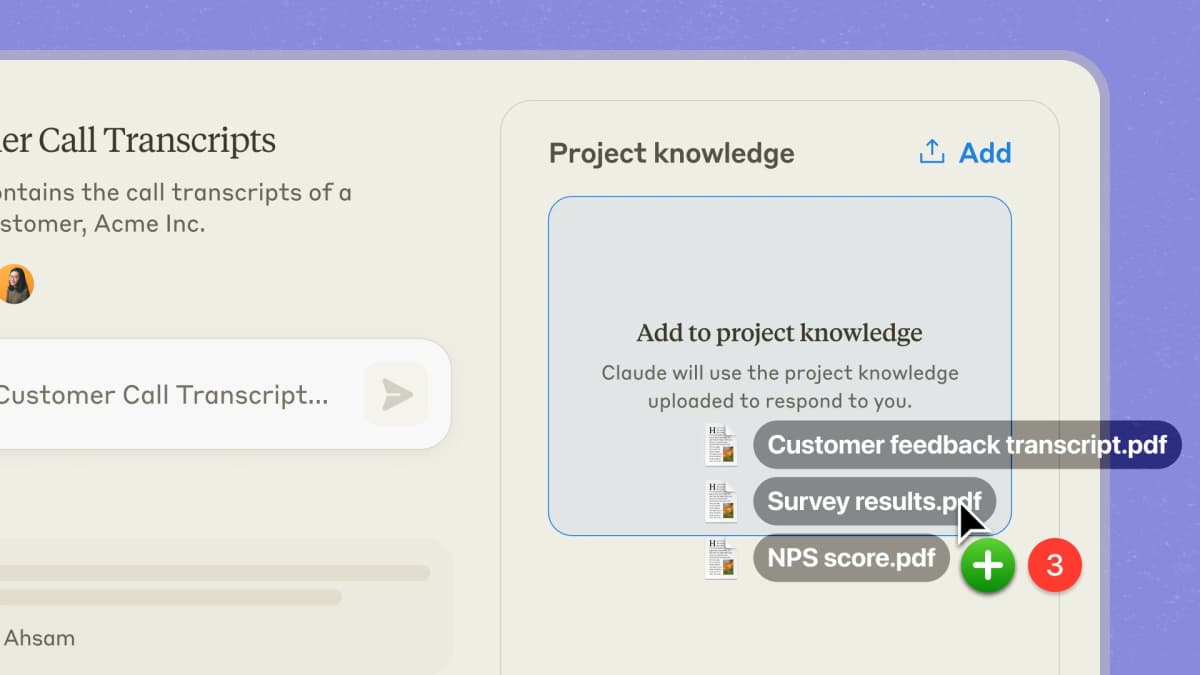
Source-native product or study evidence for the specific article discussion.
Claude Projects keeps project knowledge and instructions available for recurring work. Paid project knowledge can use retrieval when content approaches context limits, so a fixed context-window number does not describe every project's capacity.
This fits drafts that need custom rules across a source packet. Ask Claude to show what each paper adds before combining them. Keep source links attached when moving an answer into a draft.
The tradeoff is how much of the process you define yourself. An answer can sound complete while skipping a source or merging findings that conflict. Ask both tools about the same files and known disagreement. A general model ranking cannot replace that check.
Check current plan access and usage before making it the home for a large corpus. API access is a separate product and bill, not a capability included by buying a chat plan. See NotebookLM vs Claude Projects for the detailed source workflow.
6. Perplexity: web discovery with project files
Perplexity searches the web and returns cited answers. Its Projects support persistent files and connected sources. Older guidance that says you cannot upload your own source set is inaccurate.
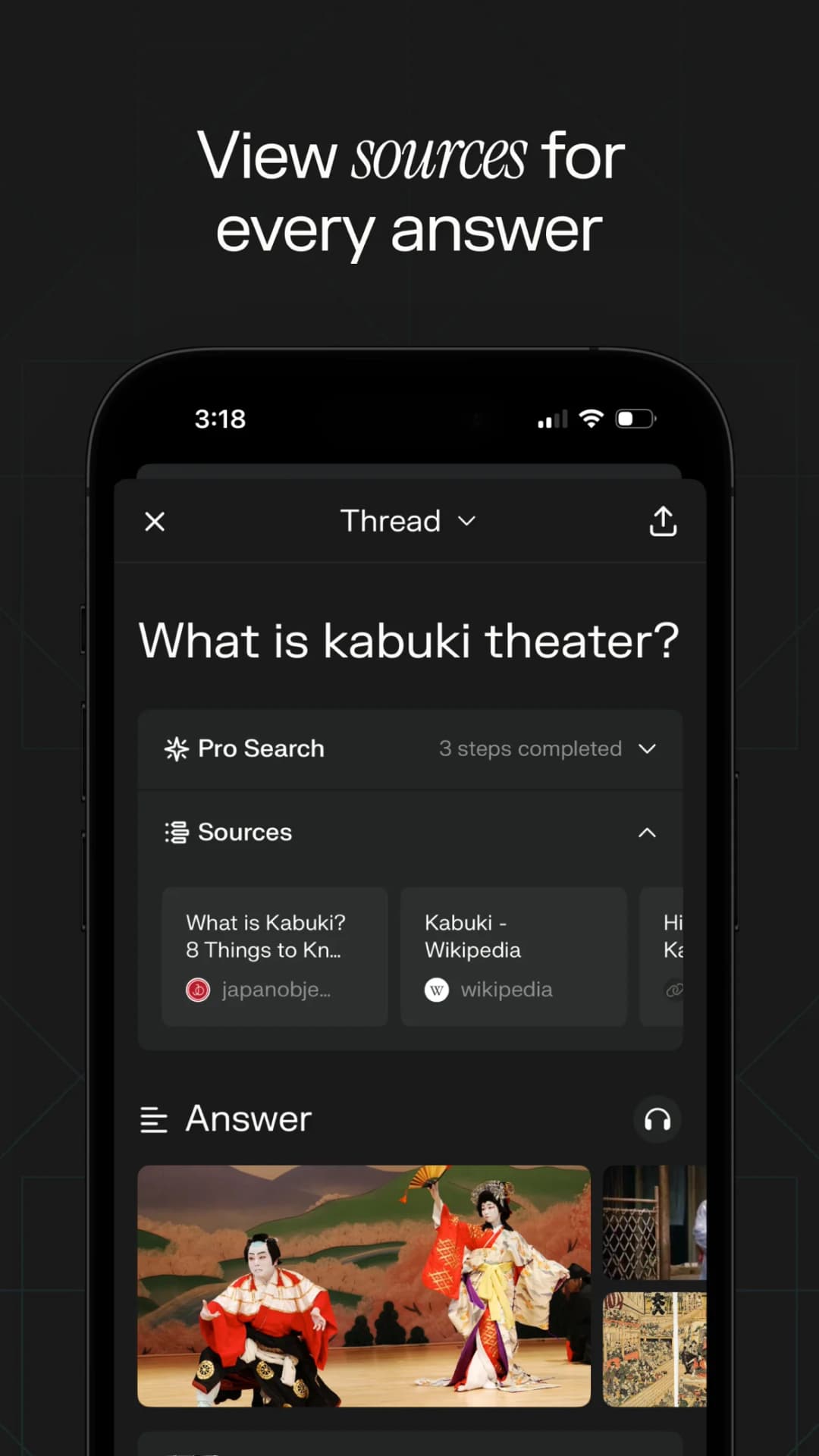
Choose it when your question needs fresh web evidence alongside files you already have. Open the cited page, check its date and locate the statement that supports the answer. A recent page can still repeat an old or unsupported claim.
The tradeoff is source scope. If you need an answer based only on selected papers, check for outside sources. An answer that helps you find new work may not give you a controlled view of your packet.
Trial a question that needs one uploaded report and one current external fact. Inspect how the response distinguishes them, then check the account's file and usage allowances. For adjacent products, see AI research assistants.
7. Scholarcy: summary cards and paper reuse
Scholarcy turns research into flashcards, supports Zotero import and exports summaries to other research apps or citation managers.

It fits a workflow where you want a compact record of each paper before deciding what deserves closer reading.
Compare a card with the abstract, methods and limits. A useful summary should help you return to a paper, not persuade you that you no longer need it. Keep your own checked note separate from generated text.
The tradeoff is the later synthesis task. Cards can aid screening and recall, while a cross-paper argument still needs source-specific comparisons. Trial a paper with an important limitation and check whether the exported card retains it.
Use Scholarcy's pricing page to verify current access and export allowances. The research-note organization guide explains how to keep those records useful after the first read.
8. Semantic Scholar: free paper discovery
Semantic Scholar offers free paper search. Its FAQ explains TLDR summaries and which fields they cover. Not every paper you find will have one.
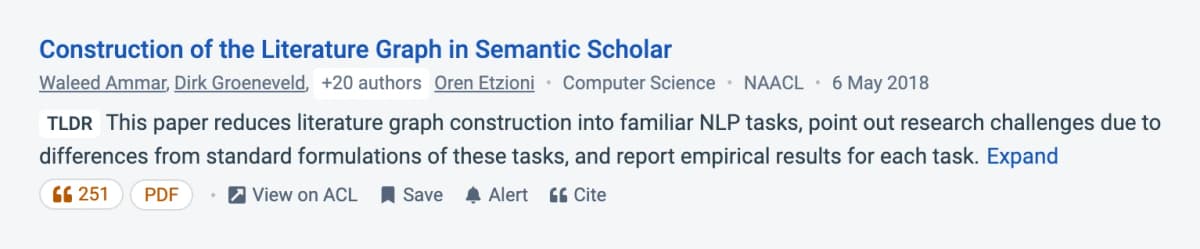
Choose it to find relevant papers, follow citations and build a reading shortlist. Check the actual paper and available full text before using a generated summary as evidence. A useful search record may still omit the methods you need.
The tradeoff is the job it replaces. Finding published papers is different from keeping your own files, notes and study outputs. Keep the source files and a record of your review choices.
Trial a narrow topic, inspect the relevant papers and follow one citation trail. This can improve a literature search even if you keep Gemini Notebook for source chat or audio.
Try the Atlas source-to-note workflow
Use three papers you know well, including two that disagree. Add them to one Atlas project and wait for processing. Open each source to check that the methods and results text is present.
In chat, type @ and select the papers. Ask: “Compare each paper's method, sample and main limitation. Give each paper a row and cite the supporting text.” Inspect the numbered references before accepting the comparison.
If a claim blends two studies, ask for their contributions separately. Revise any wording that goes beyond the source. Save the checked comparison as a note and open that note's Knowledge Map view to generate an editable canvas.
Use the project Semantic Map to find related sources, notes and chats. Search for the method or use Cluster by angle to explore a question. Open nearby items before deciding they support the same argument.
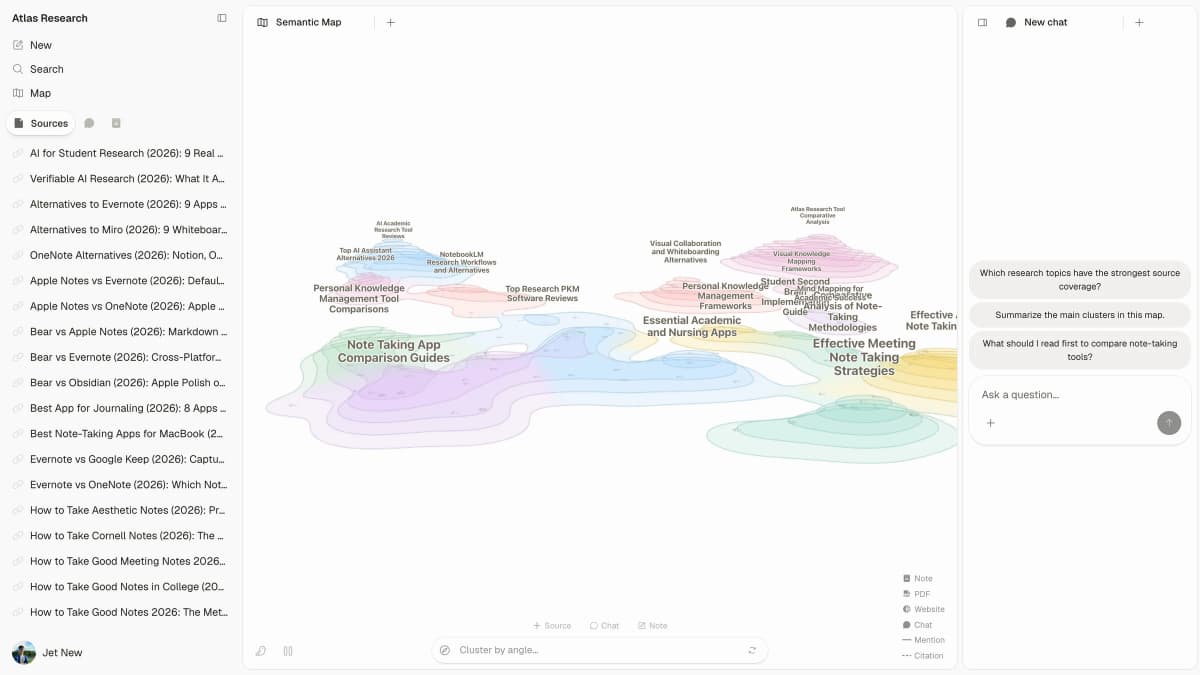
This Atlas view places sources and notes beside topic regions and chat. It shows project navigation, not a completed citation check or a measured accuracy result.
The useful outcome is a checked note that you can revise and find later. The research synthesis guide shows how to carry those findings into writing, while mind maps from documents covers the map-reading step.
How to choose an alternative
Run a small trial before moving your library. Use the same source versions and questions, then judge the full task: find evidence, check the wording, save a result and recover it later.
- Add three papers with a known disagreement or narrow sample.
- Ask for each paper's claim and the passage that supports it.
- Ask where the methods or results conflict.
- Ask a question the files cannot answer and check whether the tool identifies the gap.
- Save a useful result and test the export or note handoff you need.
A strong answer keeps conditions such as population, time period and uncertainty. If a tool turns an association into a cause, record that failure even if its other outputs read well. The first fluent answer is only part of the work.
When you return to the work, try to find the files behind the conclusion. Can you tell which lines you checked? Can you update it when a new study conflicts? These checks matter when you use the notes more than once.
Measure elapsed time only if it matters to your decision, and include checking and saving. Avoid comparing a generated summary in one tool with a finished draft in another. See PDF chat AI tools if file questions are your main need.
Migrating from NotebookLM
Move active work first. Keep closed notebooks in place until you have a reason to revisit them. A smaller move makes it easier to tell whether the new tool improves the task you repeat.
Use original supported files or URLs, with names and versions intact. Do not assume another product can fetch every Google source connection or recreate the same source locations. Check a methods passage after importing to confirm the content survived.
Export useful Google notes to Docs or Sheets where supported. Those copies do not sync edits back and do not inherit notebook sharing permissions. Copy checked conclusions with the paper names and passages you used, then set access in the destination.
Recreate maps when you need editable objects. A downloaded map image may remain a useful reference, but it does not become an equivalent canvas or citation graph in another app. Keep the original notebook until you have checked the new workflow.
If you keep both, give each a clear job: Google for an Audio Overview and another tool for review tables or saved notes. How to use NotebookLM and NotebookLM for students cover workflows worth preserving.
Open-source and local note alternatives
Open Notebook: self-hosted source work
Open Notebook's repository describes source chat, notes, model choice and podcasts. You can use cloud or local models. Try it when you want to run the app yourself or choose where model work happens.
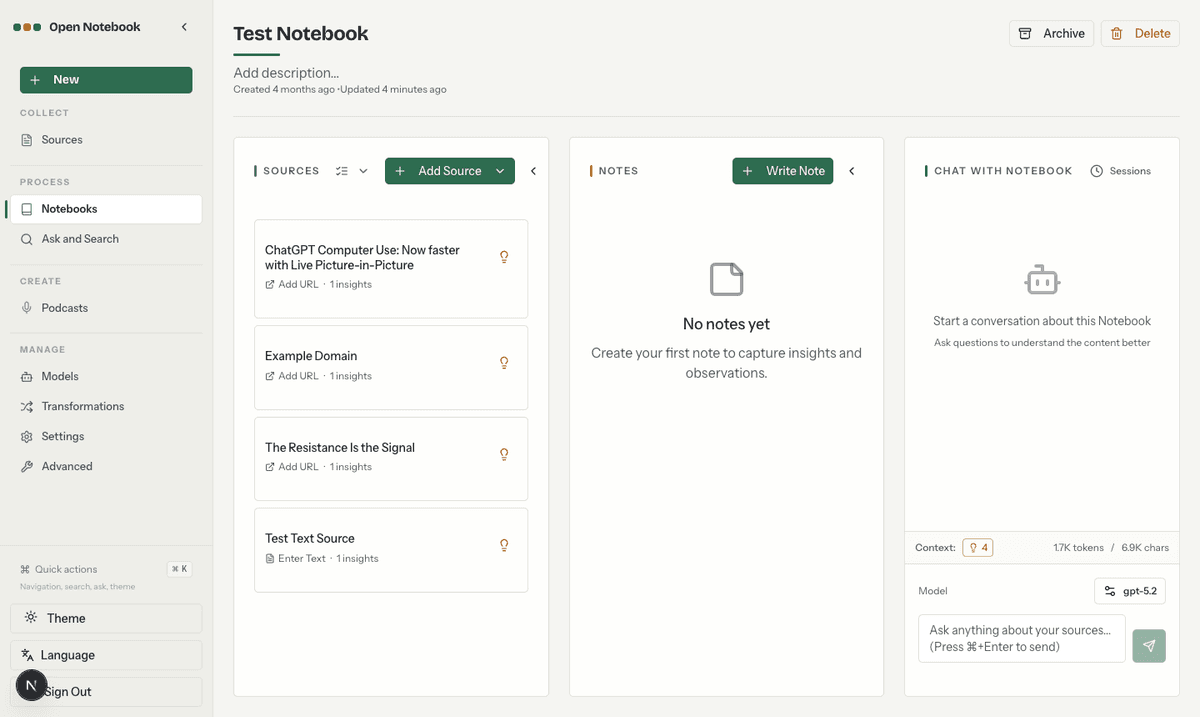
Running the app yourself does not make all its work local. Check the services that turn text into search data, answer questions and make speech. Confirm where each sends content, and count storage, model calls and upkeep in the cost.
Obsidian: ownership of note files
Source-native product or study evidence for the specific article discussion.
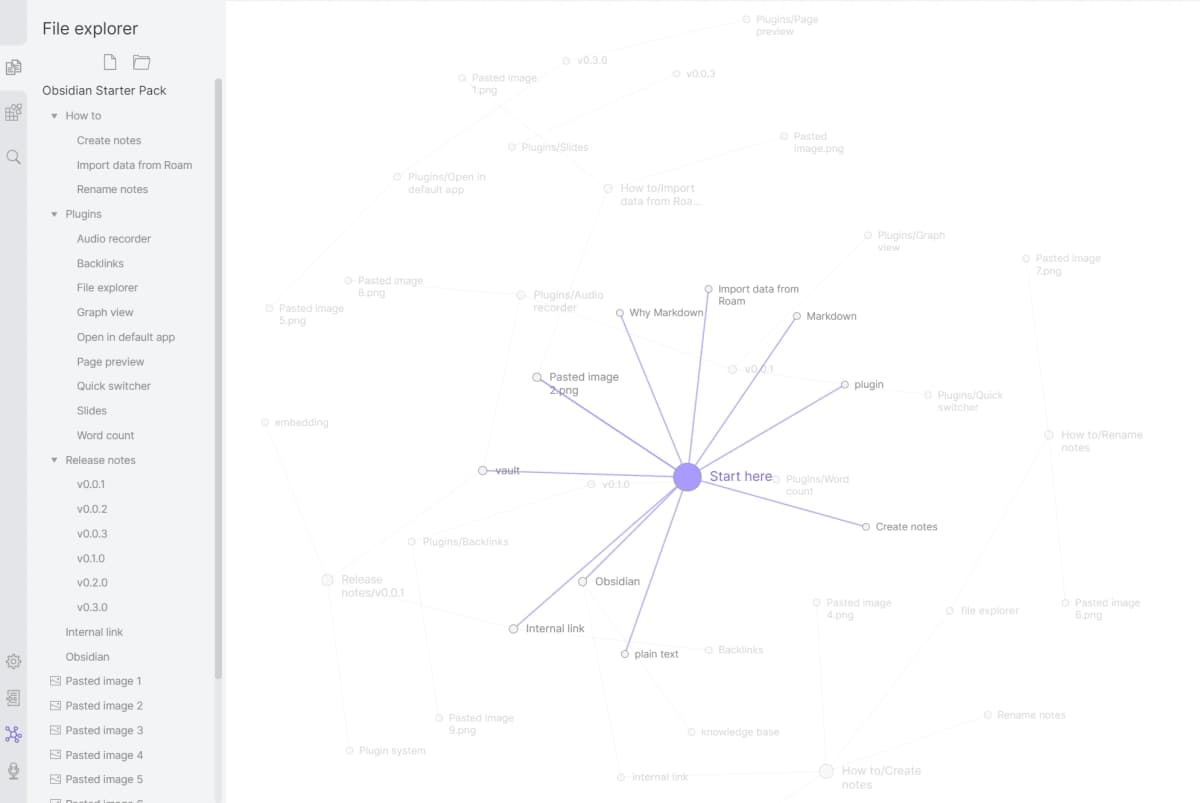
Obsidian keeps notes in local files and supports plugins. Choose it when you want to own and edit those files. A set of linked notes serves a different purpose from Google's study outputs.
An AI plugin may send text to a cloud model even though the files live on your device. Check its access and model settings before using private files. NotebookLM vs Obsidian vs Atlas compares these choices.
For listening-specific replacements, see NotebookLM audio alternatives. Podcast generation, text-to-speech and interactive voice are different outputs; compare the one you actually use.
Cost, privacy and source limits
Check the action your plan covers
Compare the current allowance for the task, not just a monthly price. Search, extraction, chat, storage and export may have separate rules. Region, billing period and account type can also change the offer.
Atlas shows current plan and usage in Settings → Billing. For the other shortlisted tool, inspect the account and official plan details before paying. A free search result does not prove that bulk extraction or an export is included.
For self-hosting, count model calls, speech generation, storage and upkeep. A hosted free plan may be cheaper for a small packet; a local setup may fit a data-control requirement. Choose based on the real constraint rather than a three-year estimate built from stale prices.
Separate source capacity from AI usage
Google's source help lists 50 sources for Free users and up to 500,000 words per source or 200 MB per upload. Those file limits are separate from generating answers and outputs.
Its AI usage help describes compute allowances that refresh every five hours within a weekly ceiling. Prompt complexity, model, feature and chat length affect use. More room for files does not guarantee enough compute for every planned generation.
For any large corpus, trial representative files and check retrieval coverage. The number of stored documents does not mean every answer considers every page. Ask which sources contributed and inspect those omitted from a comparison.
Review the full data path
A paid plan does not by itself rule out training or meet the rules for private files. Read the terms for your account: which services see data, how long they keep it, and who can open it. Follow your team's approved process for client work or unpublished papers.
Google's privacy help sets out rules for personal, work and school accounts. Feedback can include prompts, sources and outputs that people review to improve the product. Check what the packet contains before you send it.
Local files, running the app yourself and using a local model are separate choices. Check the full path before moving private work. Then trial your shortlist on the three papers and keep the tool that makes claims easier to check and use again.
Map your sources in Atlas
Compare source links, maps, and cited answers across your uploaded research.