


NotebookLM is now Gemini Notebook, the same standalone Google research product. A good competitor should fix one clear gap in your work. You may need stronger writing help, live web search, paper search, claim checks, team notes, local files, or maps you can edit. No tool leads every one of these jobs.
This page maps the wider market. It is not a guide to leaving Google. If you want to switch, read the NotebookLM alternatives guide. If a quota or feature is the problem, check the current NotebookLM limits.
The comparison uses the product and help pages linked below to match each tool to its strongest workflow.

Map your project and inspect the source proof
Upload sources, explore maps, and open passages behind cited answers.
What NotebookLM already does well
Current features
NotebookLM now does far more than chat with files. It can read PDFs, websites, YouTube videos, audio, Google files, Word files, Markdown, CSV, slides, ePub, and images.
It can find sources on the web or in Drive with Fast Research. Gemini Deep Research can make a report and source list. You can then choose what to add. Google lists the current source and search tools.
Chat stays tied to the sources you select. Source links can open the text behind an answer. NotebookLM can also make Audio and Video Overviews, reports, quizzes, flashcards, Slide Decks, Infographics, Data Tables, and Mind Maps.
Limits that still matter
The useful points of contrast are now quite narrow:
- Each notebook has its own source set. One chat cannot search several notebooks at once.
- A standard account starts with 100 notebooks and 50 sources in each one. Source capacity is separate from the compute allowance. Complex requests and Studio outputs consume more compute; a five-hour refresh sits within a weekly limit. Paid tiers provide more usage. Check current usage before planning a long session.
- A source link helps you check an answer. It does not prove that the answer is right.
- Data rules vary by account. Google says consumer uploads do not train its base models unless you send feedback. Work and school accounts have different terms. Read Google's data rules for the full detail.
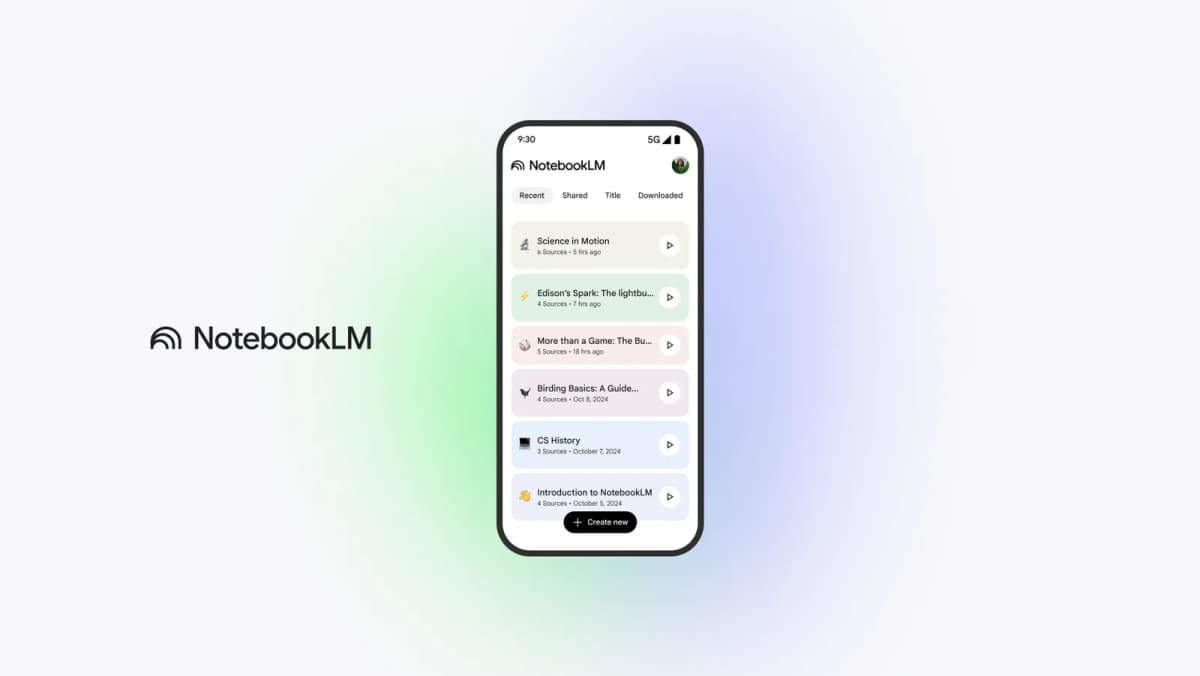
NotebookLM Competitor Decision Matrix
Start with the job, not a total score. Then read the matching tool entry and check its main limit.
| Tool | Best-fit research job | Input and discovery surface | Grounding and verification | Workspace or memory scope | Cloud, local, and privacy boundary | Export path | Current access and pricing | Main limitation |
|---|---|---|---|---|---|---|---|---|
| Atlas | Visual work inside one research project | Project sources, notes, and chats | Cited answers open source text; maps lead back to project items | Project Semantic Map plus source Knowledge Maps | Cloud app; check sensitive-data fit before upload | Notes and map images | Free entry and paid plans; check the current price before signup | No web-scale paper index and no cross-project memory |
| Claude Projects | Deep thought, review, and drafting | Files and knowledge added to a Project | Can search project files, but may also use model knowledge | Reusable knowledge inside each Project | Anthropic cloud; plan and team controls vary | Files it makes and copied output | Access and RAG capacity depend on the Claude plan | No paper citation index or visual research map |
| Perplexity | Current web search | Web search, files, links, and chosen Project sources | Answers show links that you can open | Threads and files inside a Project | Perplexity cloud; team controls vary by plan | Shared threads and saved output | Free and paid plans; see the Project guide | Web source quality still needs a human check |
| Elicit | Paper search, review, and data tables | Academic index, PDFs, and review flows | Paper rows and table cells link back to papers | Work stays inside each review flow | Elicit cloud; work plans have added controls | RIS, CSV, BIB, PDF, and DOCX; some exports need a paid plan | Free trial and paid tiers on Elicit pricing | Built for papers rather than mixed project files |
| Scite | Seeing how later papers cite a claim | Paper citation index and saved works | Shows the citing text and support, contrast, or mention labels | Searches, reports, and dashboards | Research Solutions cloud; library access is common | Report and citation paths vary by access | Personal and library access; see how Scite works | A claim-check tool, not a full writing space |
| Consensus | Fast answers from research papers | Paper index, filters, uploads, and search agents | Answers link to papers and study facts | Searches, lists, and full-text chats | Consensus cloud; plan caps apply | Reference-manager export and some PDF exports | Free and paid tiers in Consensus plans | A short answer can hide differences between studies |
| Notion AI | Team search and follow-up work | Notion pages, PDFs, linked apps, and the web | Search can cite pages and linked apps | Work spans the pages a user can access | Notion cloud; page rights also limit search | Page, database, and workspace exports | AI tools vary by Notion plan; see current pricing | Research checks are not its main job |
| Obsidian | Local notes and custom work flows | Local Markdown files, links, and plugins | Checks depend on your files, links, and plugin setup | One local vault with backlinks and Graph view | Local core; optional Sync and Publish use paid cloud services | Plain Markdown and local files | Core app is free; optional tools are on Obsidian pricing | Needs setup; AI source links vary by plugin |
Table 1: The eight-tool matrix compares discovery, verification, workspace scope, data handling, exports, and access. Choose the row that matches your next research task.
When to choose a competitor
Choose the tool that fixes the first weak step:
-
Keep NotebookLM for a known source set, cited chat, Deep Research, and rich study output.
-
Choose Claude Projects when you need hard review or a long draft.
-
Choose Perplexity when you still need current web sources.
-
Choose Elicit, Scite, or Consensus when papers are the main source type.
-
Choose Atlas when you want to move from a project map to notes, cited answers, and source text.
-
Choose Notion AI when the answer must feed team pages, tasks, and data.
-
Choose Obsidian when local files and a long-lived vault matter most. Test each tool with one real project and one clear question. Check whether it reads the right files and shows the source behind its answer. Then test the export you need. This tells you more than a score.
NotebookLM Competitor Comparison: Top 8 Tools
1. Atlas
Atlas keeps work inside a project. A project holds its sources, notes, chats, maps, summaries, and source links. It does not act as one memory across all projects.
Atlas has two map views. A Semantic Map shows themes across project items. A Knowledge Map shows ideas inside one source or note. You can edit a Knowledge Map.
NotebookLM also has Mind Maps. Google's version makes a branch view from notebook sources. The key difference is not whether maps exist. It is the map scope, what you can edit, and how you return to the source. The NotebookLM mind-map guide explains that choice.
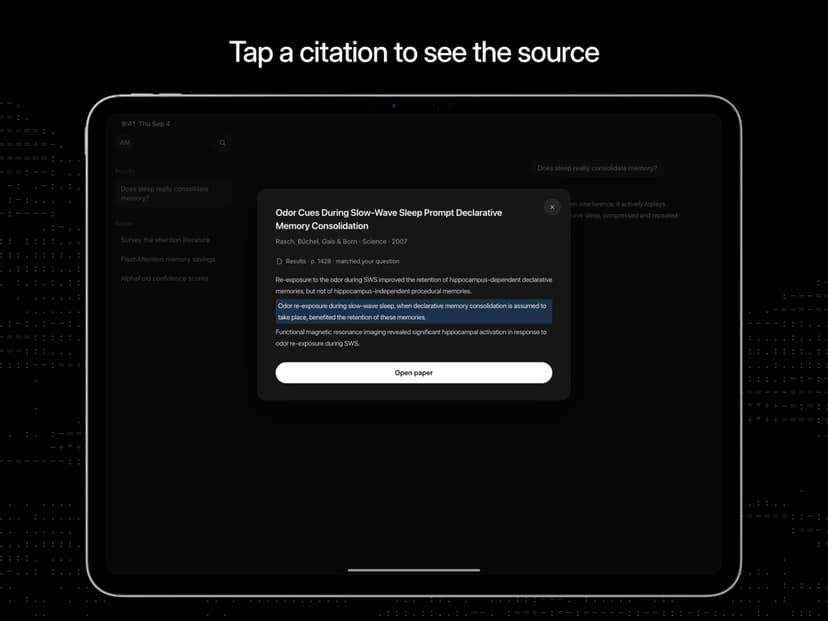
An Atlas answer can link to the source text behind a claim. Open that text and check the wording around it. Notes and map images can be saved for later work. The AI with references guide explains why this source check matters.
Atlas fits when you own the source set and want maps, notes, cited chat, and source checks in one project. Atlas can search and add academic papers, but it is not a scholarly citation index. It also lacks NotebookLM's wide range of media output.
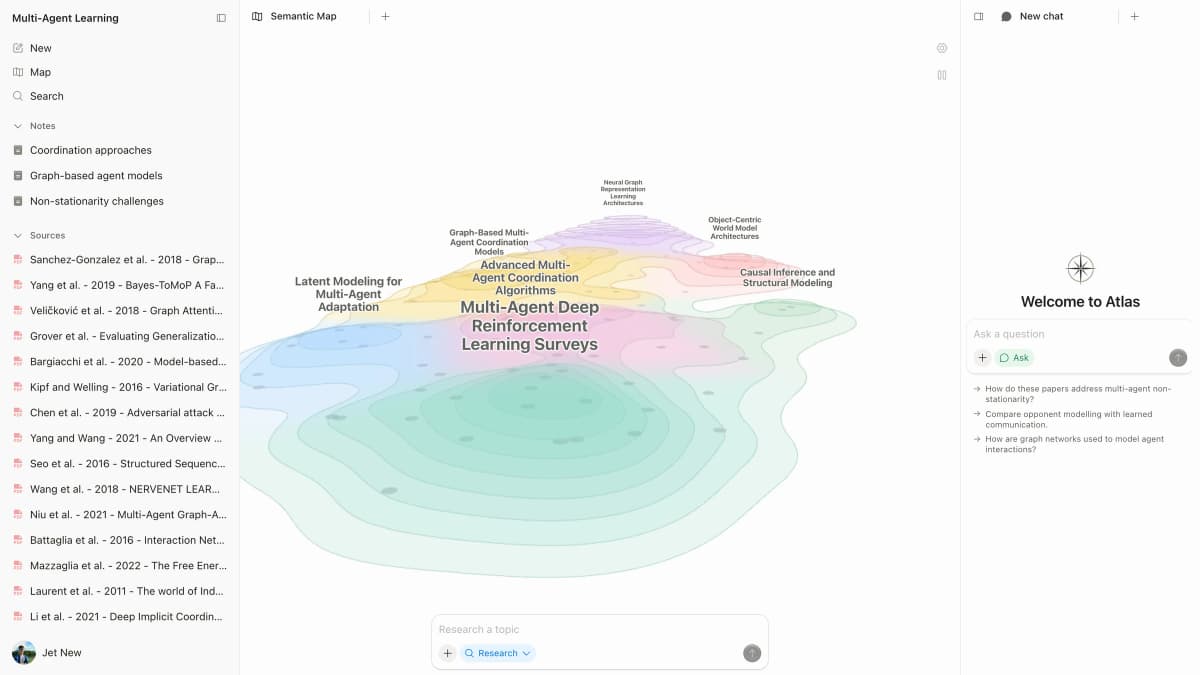
This capture shows Atlas navigation and question surfaces; it is interface evidence, not a NotebookLM feature comparison.
2. Claude Projects
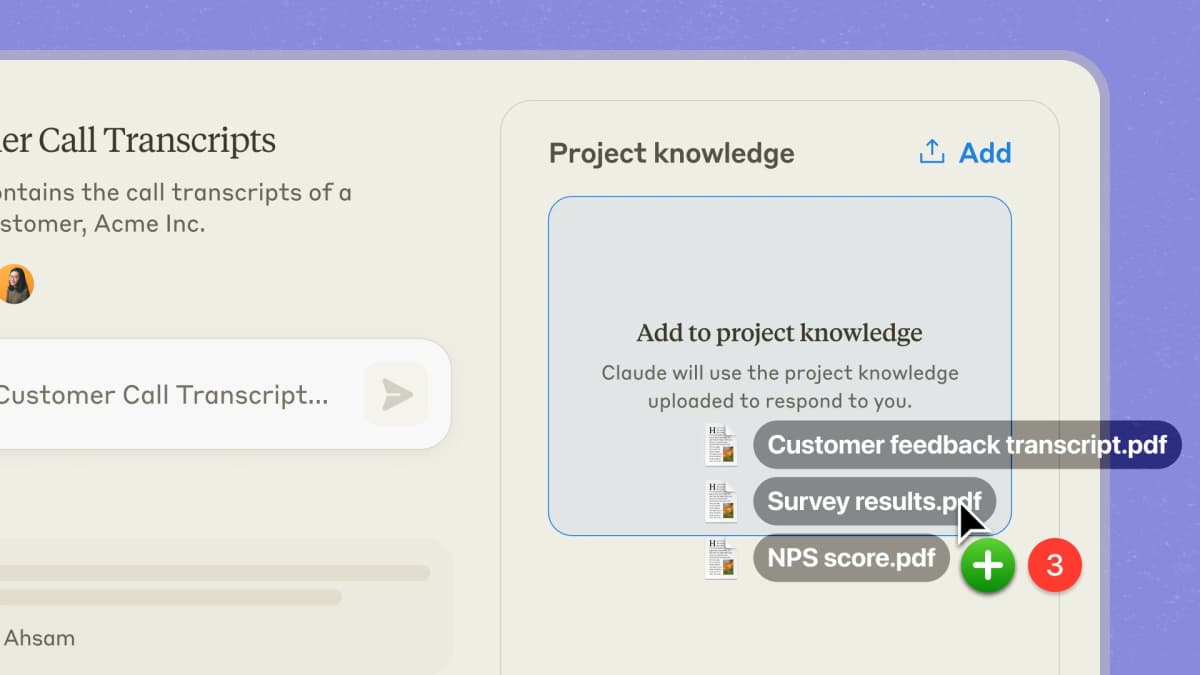
Claude Projects keeps a set of files and rules ready for chats in that project. Anthropic says paid Projects can use search over project files as the set grows. Anthropic explains this Project search mode.
Claude is a strong choice for hard review, argument work, code, and long drafts. It can also bring in model knowledge. Tell it when the answer must stay inside your files, and check any quote or source claim.
NotebookLM is simpler when every answer must come from selected notebook sources. Use the NotebookLM and Claude Projects guide for that pair.
3. Perplexity
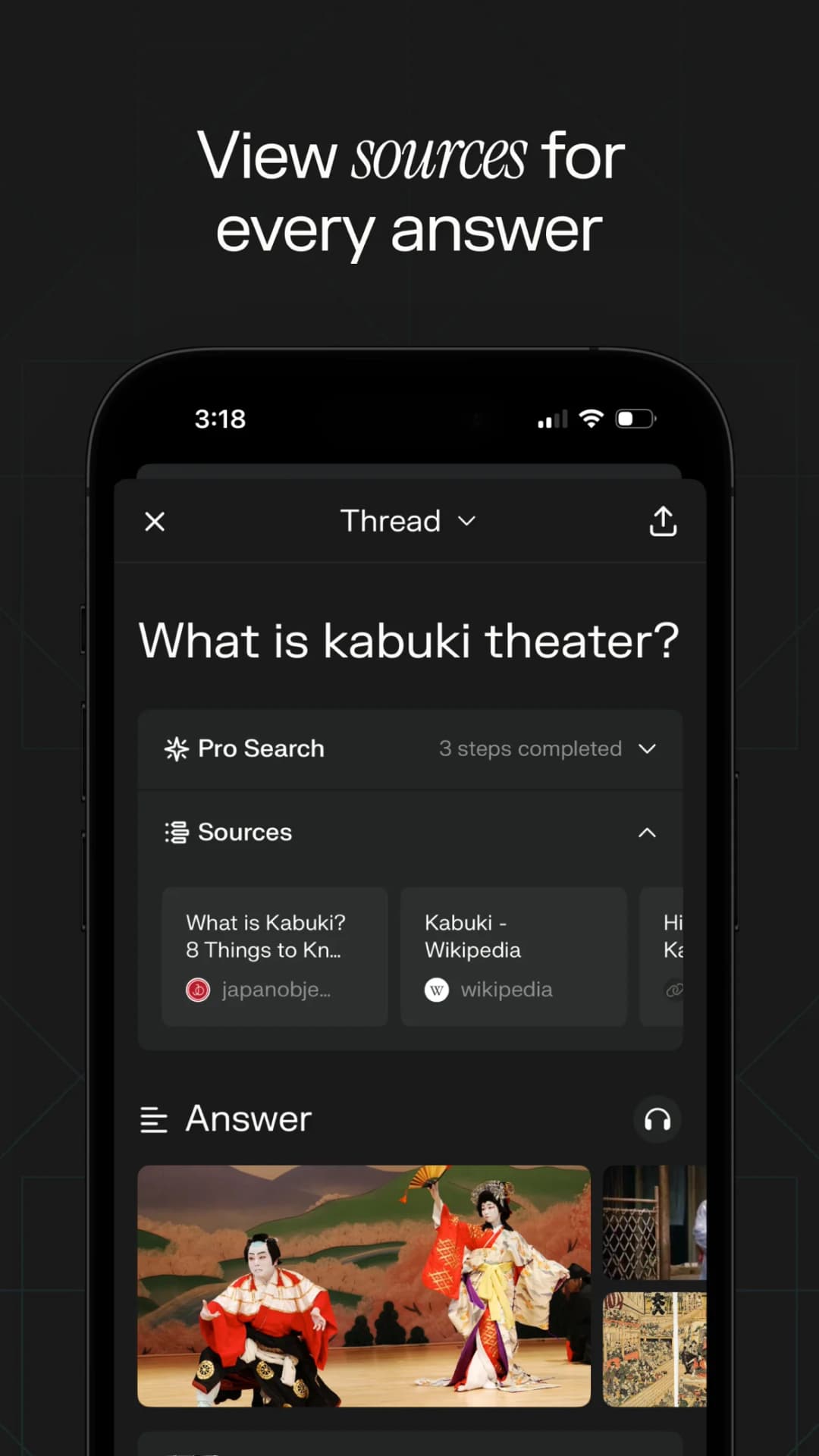
Perplexity is a good first stop when the web is the source set. Its Projects can hold threads, files, and chosen sources. Answers show links you can open.
An open-web link can still be weak, old, or copied from another site. Check the page owner and look for the first source. Move only the useful sources into the place where your main project lives.
Use Perplexity to find the field. Use NotebookLM after you choose a set to read. Do not treat a link as proof that a source is strong.
4. Elicit
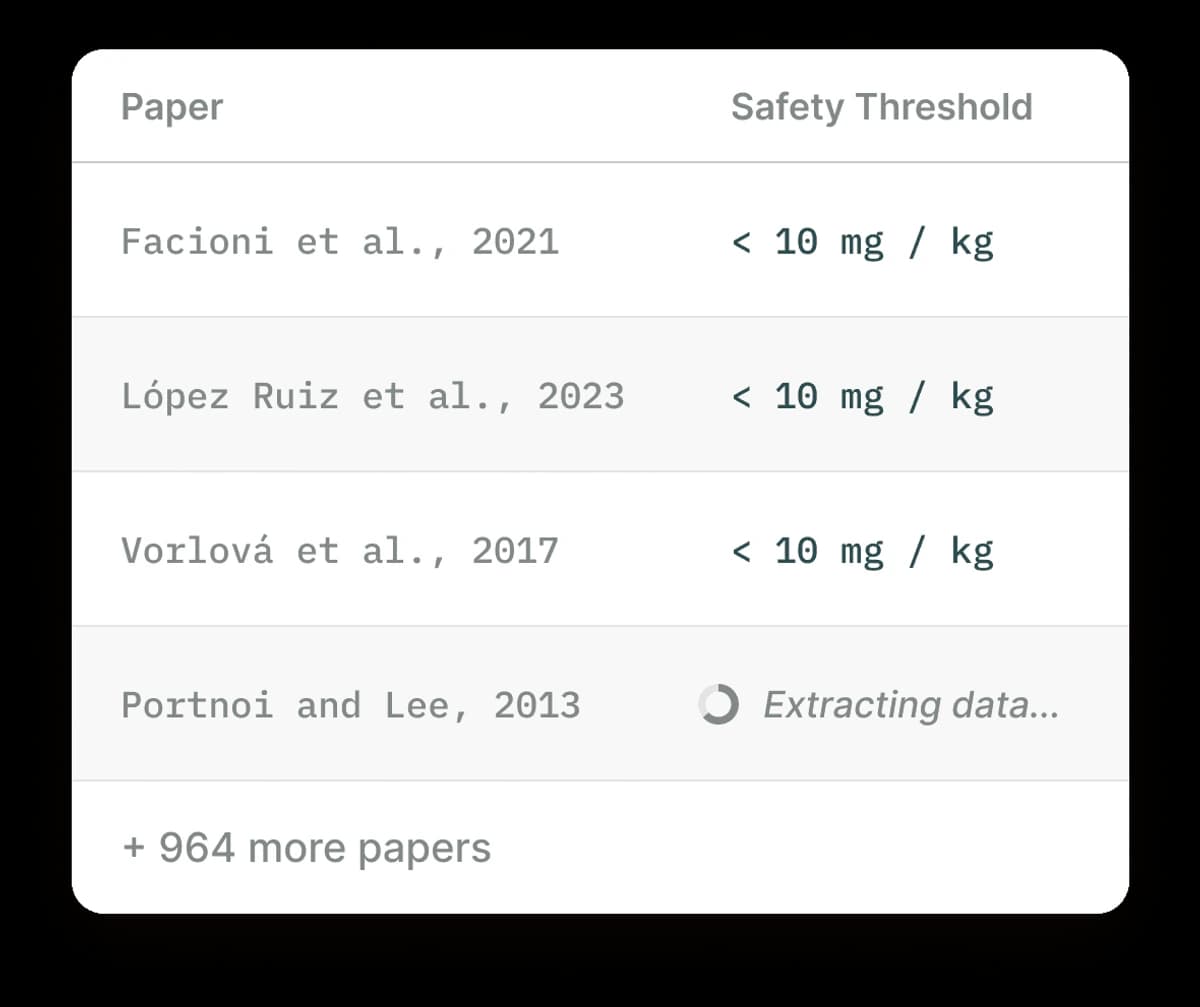
Elicit is made for work with research papers. It can find papers, help screen them, and pull the same facts from each one into a table. Its plan page lists review tools and export rights.
Open the paper before you rely on a method, group, or result. This is most important when the full PDF is missing or a table cell looks wrong. Elicit explains which tables each plan can export.
Choose Elicit before NotebookLM when you still need to build the paper set. Use Atlas or NotebookLM after the set is ready and the job becomes reading and writing.
5. Scite
Scite shows how later papers cite a work. Its Smart Citations show the citing text and mark it as support, contrast, or mention. This can reveal doubt that a paper summary leaves out.
The labels help you find what to read. They are not a final grade for the paper. Read the cited text and the nearby part of the study.
Use Scite to check a claim or paper. Pair it with a tool for reading, notes, and writing.
6. Consensus
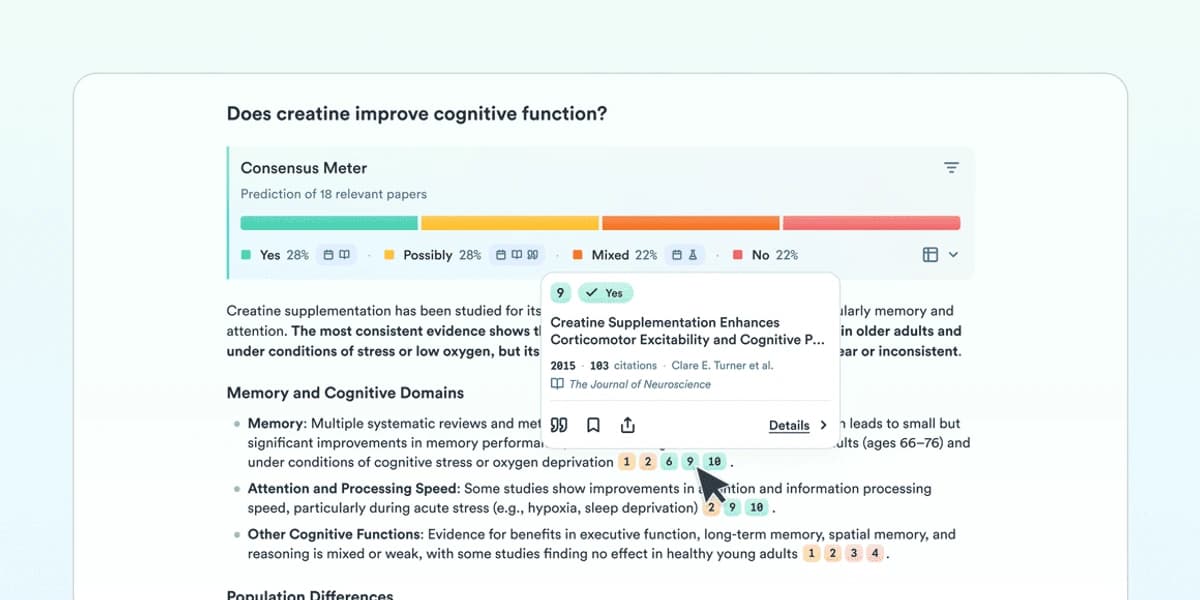
Consensus searches research papers and gives short, source-linked answers. It also offers study facts, filters, full-text chat, saved lists, and new search agents. Its live FAQ lists the current tools.
This is useful for a fast view of a field. A short answer can still merge studies with different groups, methods, or outcomes. Open the papers that support the main point.
Use Consensus for a clear research question. Use Elicit when you need a full review table. Move the chosen source set to Atlas or NotebookLM for deeper reading.
7. Notion AI
Notion AI fits teams that already keep work in Notion. Its search can read pages, PDFs, linked apps, and the web. It follows the access rights of the person who asks. Notion explains how linked search data is handled.
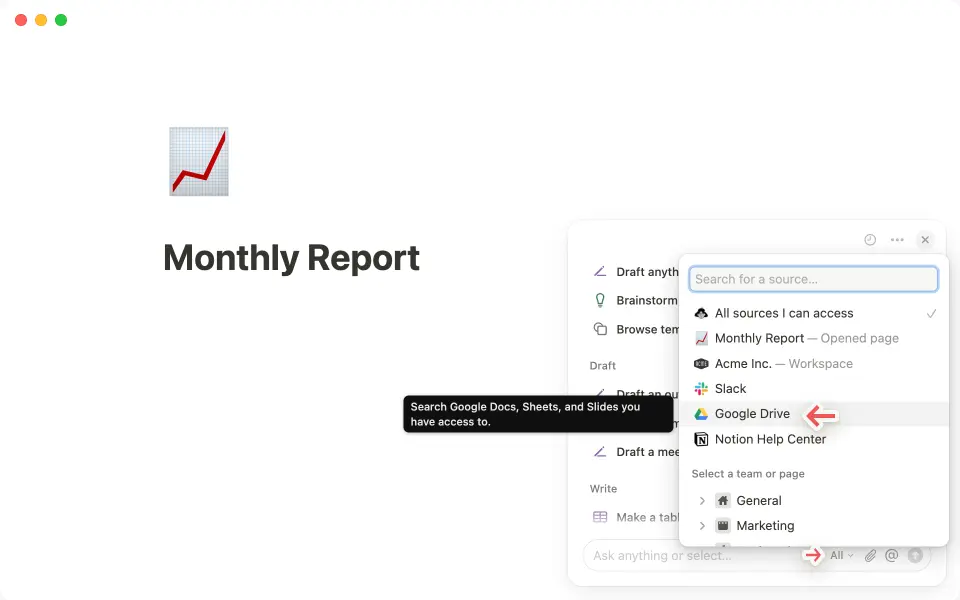
Its strength is follow-up. An answer can sit near tasks, project pages, and team data. Its weak point is deep paper review. Notion is not a paper citation index, and its data views are not source-based research maps.
Choose Notion when the team space is the main home for the work. Choose a research tool when close source checks are the main job.
8. Obsidian
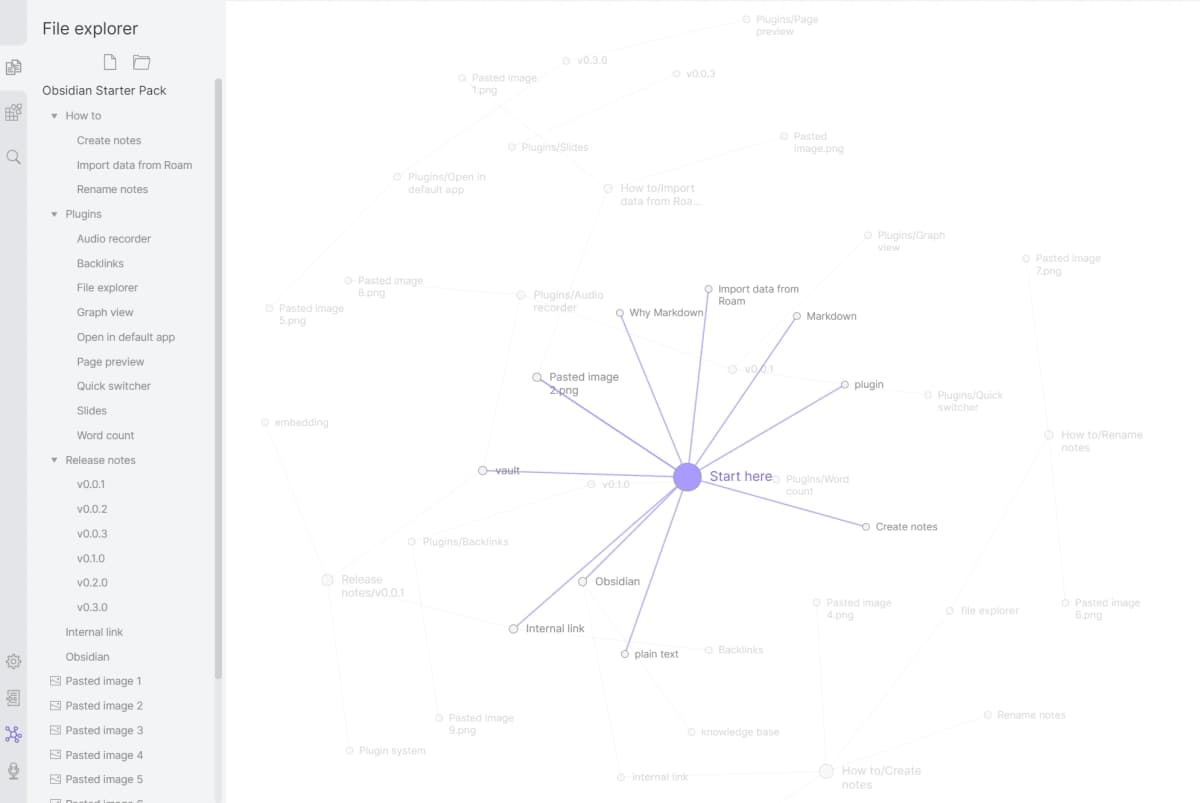
Obsidian stores notes as local Markdown files. Backlinks and Graph view show links between notes. Plugins can add AI, paper tools, and other work flows. Obsidian explains the local file model.
The local core gives you file control and offline use. The AI side still depends on the plugins and model firms you choose. Data rules and source links will vary.
Optional Sync and Publish are paid tools. Choose Obsidian for a long-lived local vault. Choose NotebookLM for faster setup and more built-in study output.
The Atlas, NotebookLM, and Obsidian guide covers this three-way choice.
Specialists also worth considering
Anara is worth a look if you search for "Anara vs NotebookLM." Its help site says it can search your files and the web. Its answers link to exact parts of your files. It can also write notes, run code, and make DOCX, PDF, BibTeX, and CSV files. See Anara's current tool list.
AnythingLLM is a fit when local or self-hosted file chat is a hard rule. It has a desktop app and a server option. You can choose the model and search store. Read the AnythingLLM setup guide before you pick the local or cloud parts.
These are not ninth and tenth places in the list. They answer two smaller search needs while the title stays true to eight tools.
Conclusion
Keep NotebookLM when its source chat, web search, and study output work well. Its Mind Maps and Deep Research remove two old reasons to leave.
The eight rivals split by job. Atlas handles maps and cited work inside one project. Claude helps with hard thought and drafts. Perplexity searches the live web. Elicit builds paper reviews. Scite checks how papers cite a claim. Consensus gives fast paper-based answers. Notion fits team work. Obsidian keeps notes local.
Name the weak step first. Add or switch to one tool only when it fixes that step and gives you a source check and export you can trust.
Map your project and inspect the source proof
Upload sources, explore maps, and open passages behind cited answers.